 TabPrune
Chrome extension
Trim your tabs.
Keep your flow.
Find idle and duplicate tabs in Chrome’s side panel. Choose what to close and bring back a recent cleanup in one click.
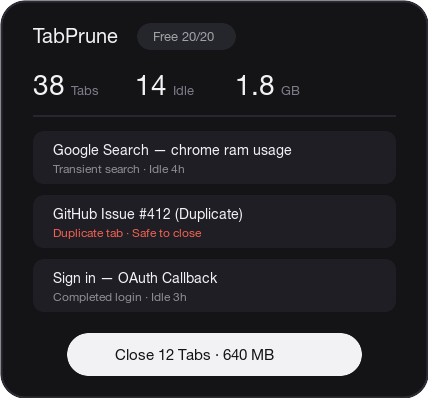

AI cleanup
Review the reason for each cleanup suggestion. Scans skip active, pinned, and playing tabs.
Tab tree
See which tabs opened from one another, then close a whole branch when you’re done with it.
Restore history
Pick from up to 15 recent cleanups and reopen an entire batch from the side panel.
Watch a 100-tab cleanup
The recording starts with 100 tabs in Chrome Incognito, closes nine duplicates, then restores the batch.
Steps in the recording
- With 100 tabs open, select Tab Tree to see which tabs opened from the research page.
- In Analytics, select Duplicates and close all nine matches. The count drops to 91.
- Open Restore History and restore the last batch. The count returns to 100.